
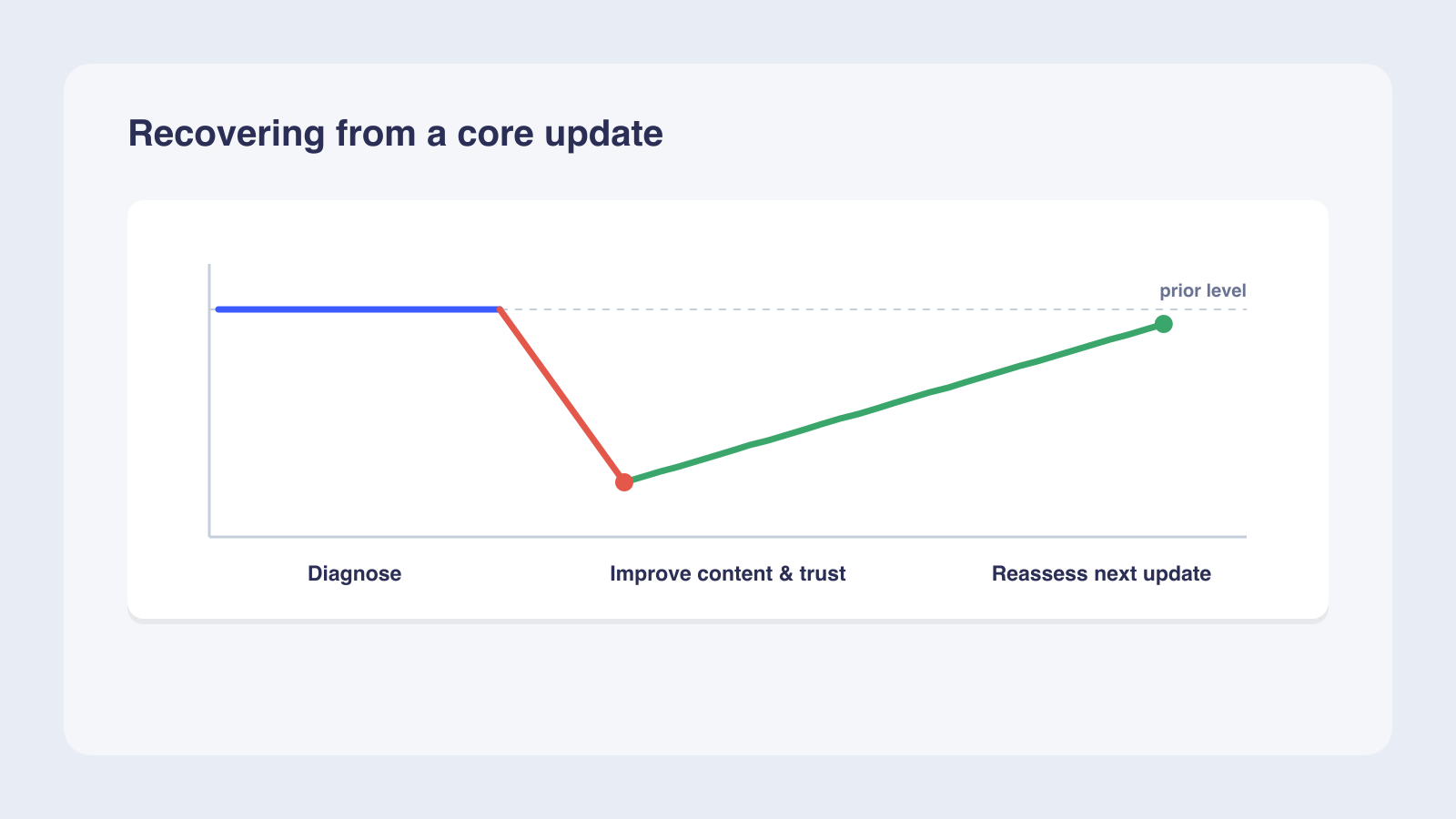
Recovering from a Google core update takes focused content work over about 3 to 6 months, and full recovery often waits for the next core update to confirm your improvements. A core update is a broad quality reassessment, not a penalty, so there is nothing to appeal. Start by confirming the drop lines up with a Google-confirmed update on the Search Status Dashboard and ruling out other causes, then wait at least a week after the rollout finishes before analyzing. Segment the losses by page type and query in Search Console, run Google's helpful-content self-assessment on the affected pages, and prioritize fixes: improve thin pages with original analysis and stronger authorship, consolidate overlapping pages with 301 redirects, and fix technical issues. Track week-over-week stability, then month-over-month gains. For YMYL topics, full recovery is possible but not guaranteed.
Recovering from a Google core update takes 3 to 6 months of focused content improvement, and full recovery often requires waiting for the next update cycle. A core update is a broad quality reassessment. You need Google Search Console, GA4, and the Google Search Status Dashboard to confirm the drop, segment the losses, and track your progress before making any changes.
What you need before you start your core update recovery
Before you change anything, confirm the update happened and gather your diagnostic tools. Google confirmed three core updates in 2025 (March, June, and December).
Tools and access you need
- Google Search Console for page-level impressions, clicks, and average position data.
- GA4 for traffic trends and referral patterns over time.
- Google Search Status Dashboard for confirmed update dates and rollout status.
Confirm the update before you act
Check the Search Status Dashboard for the update's start and end dates, then compare your traffic drop timing against that window in GA4. Rule out other causes first: seasonal trends, tracking code changes, robots.txt blocks, or manual actions in Search Console. Matching dates alone is not enough to attribute the drop to the algorithm.
Set realistic expectations
Google states there is no guarantee that changes will produce noticeable results, and some sites may not fully recover to previous peaks. Wait until the rollout has fully completed before analyzing data, per Google's official core update guidance; a common practitioner rule is to then give it about a week.
Before starting, confirm three things. Did Google confirm an update in the window your traffic dropped? Have you waited at least one week since rollout completed? Do you have Search Console and GA4 access to compare pre- and post-update data?
How to diagnose and segment your traffic drop, step by step
Once you confirm the update, work through a structured diagnostic process to pinpoint exactly which pages and queries lost traffic and why. Each step below builds on the previous one, so work through them in order.
Confirm the drop lines up with the update date
Open the Google Search Status Dashboard and note the confirmed start and end dates. Compare your GA4 traffic data against that window, then check Search Console for corresponding impression and click drops. Rule out non-update causes: seasonal patterns, tracking code changes, robots.txt blocks, or manual actions. A traffic drop that matches the rollout window and has no alternative explanation is your starting signal.
Segment losses by page type and query in Search Console
Filter Search Console by URL prefix and query to see which pages and search terms lost impressions, clicks, and average position. Group affected pages by content type (blog, product, landing, category) to spot patterns. Compare search types separately: Web, Images, Video, and News may show different impacts. A drop from position 4 to 29 on a single query needs deeper assessment than a drop from position 2 to 4.
Run a helpful-content review and fix what you find
Apply Google's self-assessment questions to your affected pages. Check whether each page provides original information, substantial coverage, and insightful analysis beyond the obvious. Evaluate the Who, How, and Why framework: is authorship self-evident, is the production process transparent, and is the purpose people-first?
Consolidate overlapping content with 301 redirects, update outdated articles with original value, and fix technical issues like Core Web Vitals deficits and crawl errors that block Google from seeing your improvements.
Consider a site that drops from position 4 to 29 on its top query after a core update. The owner waits one week after rollout completes, then compares week-before against week-after in Search Console. Over days 1 to 30 they diagnose content gaps. Over days 31 to 90 they add original analysis and strengthen authorship. By days 91 to 180 and beyond they monitor for gradual gains, with the biggest jump expected at the next core update.
Mistakes to avoid during core update recovery
Recovery fails when site owners panic and make changes before understanding what happened.
Acting before the rollout finishes
The December 2025 core update took approximately 18 days to roll out, and analyzing data during that window gives unreliable results because rankings are still shifting.
Deleting content as a first resort
Google warns that deleting entire sections signals those pages were built for search engines. Instead, consolidate overlapping pages with 301 redirects, update outdated content with original value, and add depth. Prune only pages that genuinely serve no user purpose.
Treating the update as a penalty
A core update is not a penalty. There is no reconsideration request to file and no specific fix to make. Google has confirmed that named updates are not penalties in any shape or form but adjustments to ranking algorithms. Recovery comes from genuine content quality improvements, not from asking Google to lift a penalty.
A worked example: comparing lost and gained pages
Before-and-after page comparison reveals which content Google rewarded and which it did not, giving you a prioritized fix list.
Filter by date range and sort by change
In Search Console, set the date range to cover the update period, then sort pages by impression change to identify your biggest losers and gainers. Export the data so you can compare URLs side by side. Pages with large position drops need deeper work than small drops.
Spot patterns across losers and gainers
Look for shared characteristics among lost pages. Check whether they share a content type, topic cluster, or quality issue that gained pages did not. SISTRIX's analysis of the December 2025 core update showed significant visibility shifts across reference, informative, and ecommerce sites, confirming that broad comparison across verticals reveals patterns.
Build a prioritized improvement list
Rank your affected pages by severity of drop. Then assign each page one of three actions: keep (no change needed), improve (update content, add depth, fix technical issues), or consolidate (301 redirect to a stronger equivalent page). Start with pages that lost the most traffic and work down.
How recovery changes when your drop severity differs
Not every traffic drop needs the same response. Your recovery strategy depends on how severe the drop is and what type of content was affected.
| Drop severity | Position change | Action needed | Timeline |
|---|---|---|---|
| Small | 2 to 4 positions | Monitor only; no changes needed | Days to weeks |
| Large | 4 to 29 positions | Content audit, expertise and trust review, technical fixes | Weeks to months |
| YMYL | Any drop on health, finance, or safety topics | Deep expertise and trust building | Months to next update |
Small position drops
Small drops (position 2 to 4) are generally normal fluctuations that need no action. Avoid changing content that is already performing well.
Large position drops
A drop from position 4 to 29 requires deeper assessment, per Google's core update documentation. Check whether competing pages now provide more original or better-sourced information than yours. Close those gaps with original analysis and stronger authorship signals.
YMYL topics and full-recovery limits
Topics that could impact health, financial stability, or safety face stricter E-E-A-T scrutiny, and establishing expertise and trust is harder. Google's Search Liaison has said some sites will not return to previous peaks because sites with great content and hearts in the right place still may not provide a satisfying page experience, per Search Engine Land. Recovery is possible but not guaranteed for these topics.
How long does core update recovery take?
Recovery is measured in months. Setting the right timeline prevents premature conclusions and keeps stakeholders aligned.
Days to months: the recovery timeline
Google says some changes can take effect in a few days, but confirming overall site improvement can take several months. The industry recovery framework spans 91 to 180 days and beyond across three phases, per the Search Engine Land core update guide. In practice, many sites see recovery over 3 to 6 months, with the slowest cases taking 6 months to a year.
| Phase | Timeframe | Focus |
|---|---|---|
| Diagnose | Days 1 to 30 | Confirm the drop, segment losses, audit content quality against Google's self-assessment |
| Rebuild | Days 31 to 90 | Improve content with original analysis, strengthen authorship, consolidate overlap, fix technical issues |
| Reassess | Days 91 to 180 and beyond | Monitor for sustained gains; the biggest jump often arrives at the next core update |
When to call a professional
If you have not seen any improvement after several months of focused work, consider bringing in outside help. This is especially true for YMYL topics where expertise and trust signals are hard to establish. A professional audit can identify content gaps and E-E-A-T weaknesses you may have missed.
What recovery takes in time and resources
Plan for sustained content auditing, rewriting, and technical fixes during the first 30 days, then ongoing monitoring and content updates through month 3. The largest investment is staff time. Google's guidance emphasizes that the work is continuous, not a one-time fix.
How to check your recovery progress
Recovery is a continuous cycle, not a single event. Track your progress with the same tools you used to diagnose the drop.
Track week-over-week and month-over-month
Compare impressions, clicks, and average position by topic cluster in Search Console. Look for week-over-week stability first, then month-over-month gains. A single good week does not confirm recovery; look for sustained trends over 4 to 6 weeks.
Identify persistently underperforming pages
Pages that have not improved after 60 days of focused work need a different approach. Improving page experience metrics can also help underperforming pages gain ground.
Position for AI visibility
As search evolves toward AI-generated answers, the content quality and E-E-A-T principles that drive core update recovery also position your brand for AI visibility. Foundational SEO still matters. The same quality signals that help with core update recovery also strengthen your presence in AI-generated answers across models like ChatGPT, Perplexity, Gemini, and Claude.
Frequently asked questions
How long does it take to recover from a Google core update?
Is a Google core update a penalty?
Should I delete underperforming content after a core update?
Can my site fully recover after a core update?
What is the first thing to do after a Google core update?
Do Google core updates affect all sites equally?
Next steps
Start with a confirmed diagnosis, work through the diagnostic steps in order, and track your progress weekly. These same principles also position your brand for AI-generated answers. For a structured engagement to improve visibility across AI models like ChatGPT, Perplexity, Gemini, and Claude, focus on measurable before-and-after results, and request a visibility audit to see where you stand today.
We'll run your category through the major models and map exactly where you appear, where competitors win, and what it takes to become the recommendation.