
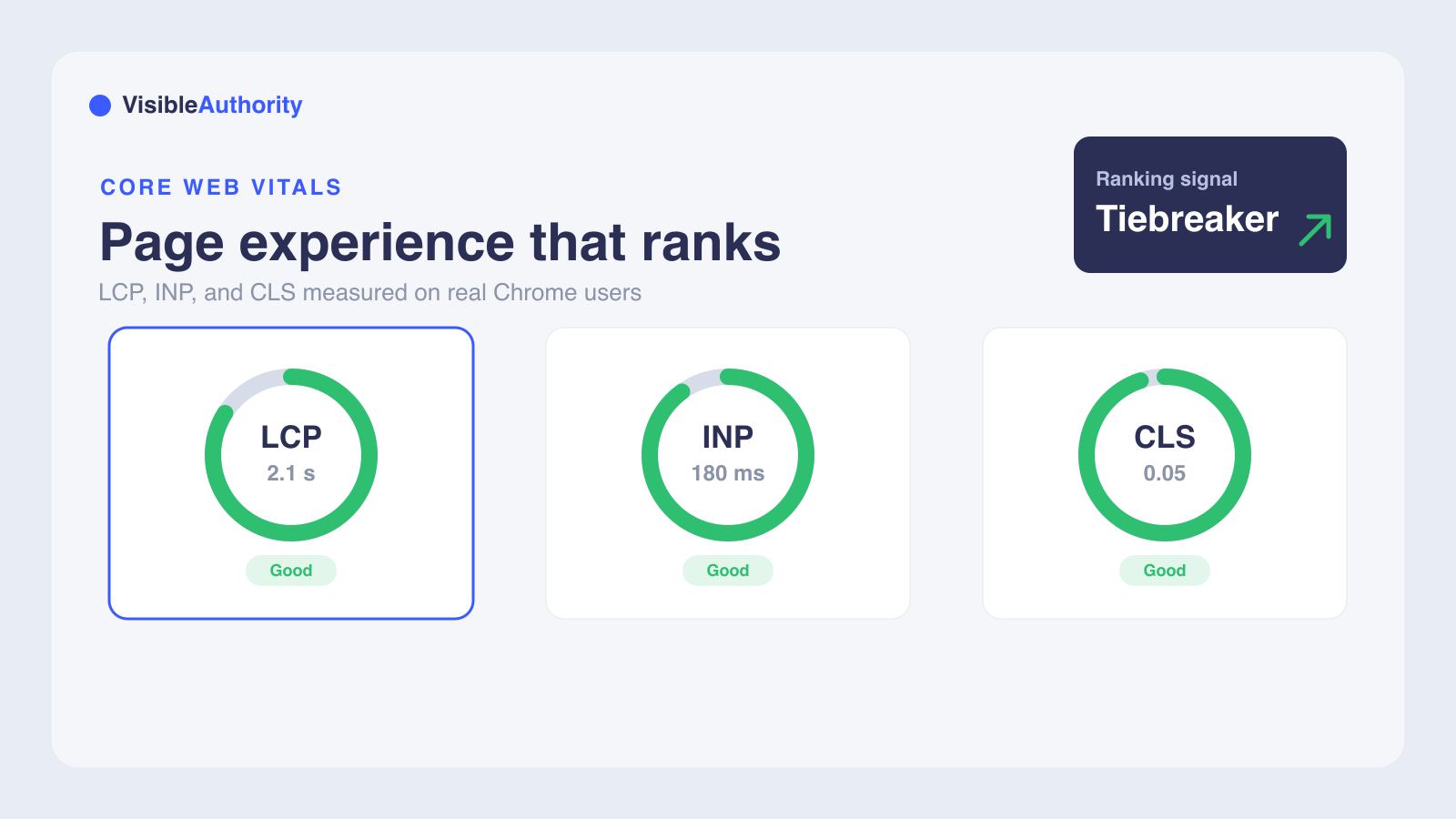
Core Web Vitals are three user-centered metrics that measure how your pages load and feel: Largest Contentful Paint (LCP) for loading, Interaction to Next Paint (INP) for responsiveness, and Cumulative Layout Shift (CLS) for visual stability. Google treats them as a confirmed ranking signal, but as a tiebreaker rather than a primary one, so relevant and high-quality content still wins first. The current good thresholds are LCP at or under 2.5 seconds, INP at or under 200 milliseconds, and CLS at or under 0.1, measured at the 75th percentile of real Chrome users over a 28-day window. Improving the metric with your worst score is the fastest way to lift your overall page experience rating.
If you have opened Google Search Console recently, you have probably noticed the Core Web Vitals report. Those green and red labels feed into how Google evaluates your pages alongside content relevance, HTTPS, and mobile-friendliness. Understanding what Core Web Vitals are and how they affect Google rankings gives you a concrete way to improve page experience and stand out in competitive search results.
This guide covers each metric, its thresholds, the tools that measure them, and the steps to move your scores in the right direction. For B2B SaaS companies and AI tool startups, page experience signals shape how buyers experience your site before they ever see your pricing page or book a demo.
What are Core Web Vitals?
Core Web Vitals are a set of real-world, user-centric metrics that measure loading performance, interactivity, and visual stability on web pages. These metrics capture how actual visitors experience your site in the field. Google's Search documentation states that it "highly recommend[s] site owners achieve good Core Web Vitals for success with Search and to ensure a great user experience generally."
Core Web Vitals sit inside Google's broader Page Experience signals, which also include HTTPS, mobile-friendliness, safe browsing, and intrusive interstitial guidelines. Together, these signals match what Google's core ranking systems seek to reward. Stable Core Web Vitals metrics change no more than once per year, with Google providing prior notice through official documentation and changelogs before any update takes effect.
The three Core Web Vitals metrics explained
The current stable Core Web Vitals are Largest Contentful Paint (LCP), Interaction to Next Paint (INP), and Cumulative Layout Shift (CLS). Each targets a distinct dimension of user experience: perceived load speed, responsiveness, and visual stability. All three sit at the "Stable" lifecycle stage, so their definitions and thresholds stay fixed for now.
Largest Contentful Paint (LCP)
LCP measures loading performance by tracking the render time of the largest content element visible in the viewport. That element is typically an image, video, or large text block. The timer starts when the page begins loading and stops when the largest element finishes rendering. This gives you a single number for how long a user waits before the main content appears.
Common issues that drag LCP down include unoptimized images, slow server response times, and render-blocking CSS and JavaScript. Addressing these directly can reduce the time your largest element takes to appear.
Interaction to Next Paint (INP)
INP measures a page's overall responsiveness by observing the time it takes for the page to respond to every click, tap, and keyboard interaction throughout a user's visit. The final INP value reflects the longest interaction observed, ignoring outliers. This makes INP a more thorough measure of interactivity than its predecessor.
INP replaced First Input Delay (FID) on March 12, 2024. FID only measured the delay before the first interaction, while INP captures responsiveness across the entire page visit. The switch caught many sites off guard that had easily passed FID but struggled under INP's broader demands.
Problems that hurt INP include heavy JavaScript execution, large tag-manager setups, and complex interactive elements like menus and filters.
Cumulative Layout Shift (CLS)
CLS measures visual stability by summing every individual layout shift score for each unexpected layout shift during the entire lifespan of a page. The score starts at zero and increases with each shift, so lower numbers mean a more stable page.
Common causes of poor CLS include images without specified dimensions, dynamically injected ads, and late-loading web fonts that push content after the page has already rendered.
Core Web Vitals thresholds and benchmarks
Google classifies each metric into three bands: Good, Needs improvement, and Poor. Here are the current thresholds:
- LCP: Good at or under 2.5 seconds, Needs improvement between 2.5 and 4 seconds, Poor over 4 seconds
- INP: Good at or under 200 milliseconds, Needs improvement between 200 and 500 milliseconds, Poor over 500 milliseconds
- CLS: Good at or under 0.1, Needs improvement between 0.1 and 0.25, Poor over 0.25
Google evaluates these metrics at the 75th percentile of field data collected from real Chrome users over a 28-day rolling window. If at least 75% of visits meet the "good" threshold, the page earns a good classification. The 75th percentile was chosen because it ensures a majority of visits hit the target while being less susceptible to outliers than higher percentiles.
A URL group's status is determined by its worst-performing metric. A page with good LCP and INP but poor CLS receives a poor status overall. Google maintains separate mobile and desktop CrUX datasets, so mobile and desktop scores feed separate ranking signals.
How Core Web Vitals affect Google rankings
Core Web Vitals are part of Google's Page Experience signals, which sit alongside HTTPS, mobile-friendliness, safe browsing, and intrusive interstitial guidelines. Google has confirmed Core Web Vitals as a ranking factor, but they act as a tiebreaker rather than a primary signal.
Google's own guidance states that good scores in Search Console's Core Web Vitals report "doesn't guarantee that your pages will rank at the top of Google Search results." The company also notes that "Google Search always seeks to show the most relevant content, even if the page experience is sub-par." Content relevance and quality dominate the ranking algorithm.
In competitive search results where multiple pages have comparable content quality, Core Web Vitals can differentiate between them. The page with better scores may rank higher when everything else is roughly equal.
As AI-generated answers from models like ChatGPT and Perplexity increasingly shape buyer decisions, traditional ranking signals like Core Web Vitals represent just one layer of a broader visibility strategy. Generative Engine Optimization is becoming its own discipline for B2B SaaS companies that want to appear in AI answers.
The evolution of page experience signals
Google announced that Core Web Vitals would join the ranking algorithm in 2020, with the Page Experience update rolling out in mid-June 2021 and reaching full effect by the end of August 2021. The update was added gradually rather than all at once.
The most significant recent change was INP replacing FID on March 12, 2024. Google's stated cadence for stable metrics means changes happen no more than once per year, with clear communication through official documentation and changelogs.
Tools to measure and monitor Core Web Vitals
Google's Core Web Vitals tools fall into two categories. Field data, collected from real Chrome users over 28 days, is what Google uses for ranking signals. Lab data, from a single simulated run, is for identifying and debugging specific issues. These tools serve each purpose:
- Google Search Console: The Core Web Vitals report groups URLs by status (Poor, Need improvement, Good) based on 28-day CrUX field data
- PageSpeed Insights: Combines field data from CrUX with lab data from Lighthouse for individual URL analysis
- Lighthouse: Google's open-source lab tool that simulates page loads and audits performance in a controlled environment
- Chrome UX Report (CrUX): A public dataset of real Chrome user measurements, also accessible via BigQuery for advanced analysis
- Chrome DevTools: Built into Chrome for debugging performance issues during development
Field data reflects real user experiences over 28 days and is what Google uses for ranking signals. Lab data is a single simulated run, useful for identifying and debugging specific issues but not for rankings directly.
Strategies for improving Core Web Vitals
Each metric responds to a different set of optimizations. Here are the most effective strategies for each.
Improving LCP
- Compress and optimize images, and use modern formats like WebP or AVIF
- Preload the largest content element to prioritize its loading
- Reduce server response time (TTFB) through caching and CDN optimization
- Eliminate render-blocking CSS and JavaScript by deferring non-critical resources
Improving INP
- Reduce JavaScript execution time by minifying and splitting bundles
- Break up long tasks: when the main thread is busy for more than 50 milliseconds, the browser cannot respond to user input. APIs like requestIdleCallback and scheduler.yield let you split that work into smaller pieces so the thread stays responsive
- Optimize input handlers to do less work on the main thread
- Defer non-critical JavaScript until after the page becomes interactive
Improving CLS
- Always specify width and height attributes for images and videos
- Pre-allocate space for ads, embeds, and dynamically injected content
- Avoid inserting content above existing content during loading
- Use the CSS aspect-ratio property for responsive media containers
Frequently asked questions
What are the current Core Web Vitals thresholds in 2026?
Did FID remain after the March 2024 change?
How long does it take for Core Web Vitals improvements to affect rankings?
Can good Core Web Vitals guarantee higher Google rankings?
Do Core Web Vitals matter more on mobile or desktop?
Start your Core Web Vitals optimization
Begin by checking your Core Web Vitals status in Google Search Console's Core Web Vitals report. Prioritize the metric with the worst performance, as it determines your overall URL group status. CrUX data updates on a 28-day rolling window, so allow time for improvements to reflect in your scores.
While Core Web Vitals affect traditional Google rankings, AI-generated answers from models like ChatGPT, Perplexity, and Gemini are becoming a new visibility frontier for B2B SaaS companies. Technical SEO for AI search visibility bridges both worlds. Analyzing buyer queries across major AI models identifies where your brand is missing from AI-generated answers, complementing your traditional SEO efforts. Ready to see where you stand? Request a visibility audit to map the gaps and chart the path forward.
We'll run your category through the major models and map exactly where you appear, where competitors win, and what it takes to become the recommendation.