
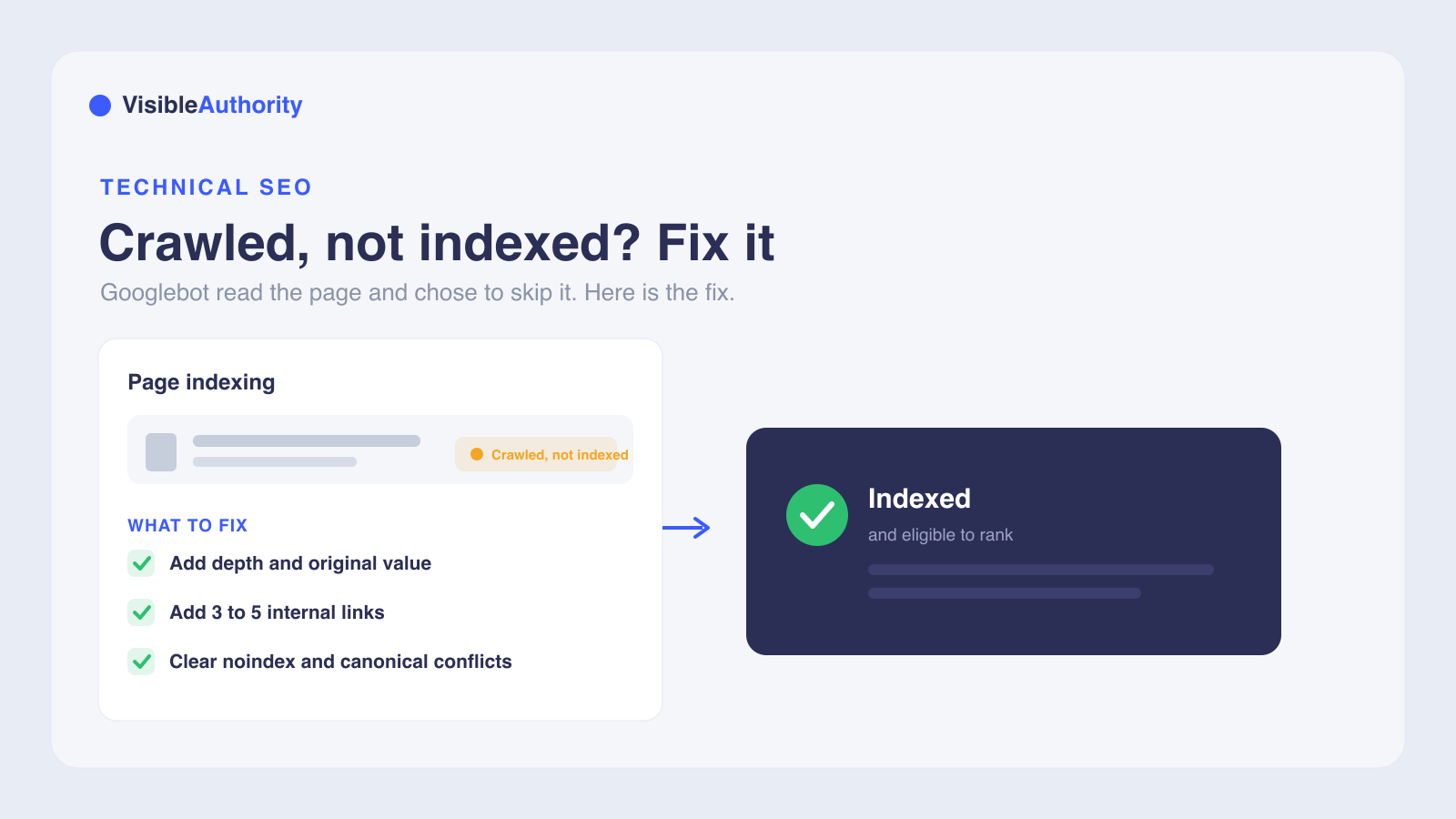
'Crawled - currently not indexed' in Google Search Console means Googlebot fetched your page, read it, and chose not to add it to the index. It is usually a content quality or priority decision, not an error or a penalty. Fix it by improving thin or duplicate content so the page offers something competing pages do not, adding three to five internal links from relevant indexed pages, and clearing accidental noindex tags, robots.txt blocks, or canonical conflicts. Only click Request indexing after you have made real changes, then allow two to four weeks for Google to re-evaluate. Prioritize pages with business value, since not every URL needs to be indexed.
You exported your Google Search Console report and found URLs under 'Crawled - currently not indexed.' Googlebot fetched those pages, read the HTML, and decided they did not belong in the index. Not every unindexed URL is a problem: Google states that not all URLs should be indexed, only the canonical pages. But pages that drive revenue, leads, or signups and still sit outside the index create a real gap for B2B SaaS companies earning $10K to $200K MRR. If you are asking how do I fix 'Crawled - currently not indexed' in Google Search Console, the answer depends on which stage of the pipeline your pages are stuck in.
What 'Crawled - currently not indexed' means in Google Search Console
Google's documentation defines this status plainly: the page was crawled by Google but not indexed. It may or may not be indexed in the future, and there is no need to resubmit the URL. The URL will not appear in search results while in this status.
This is not an error or a manual action. It is an intentional quality and priority decision. Google evaluated the page's content and signals, then decided it did not currently meet the threshold for indexing. The word 'currently' signals the status is temporary and can change as the page or site improves.
Google also states that not every URL needs to be indexed. Some pages are duplicates or lack meaningful information. The Page Indexing report's Source column tells you who controls the fix: 'Website' means you can address it, and 'Google' means it is a quality decision you may not be able to override.
'Crawled - currently not indexed' vs. 'Discovered - currently not indexed'
Two statuses in the Page Indexing report sound similar but point to different problems. 'Discovered - currently not indexed' means Google knows the URL exists but has not fetched it yet, often because crawling was rescheduled to avoid overloading the site. 'Crawled - currently not indexed' means Google has already fetched and read the page but made an editorial decision not to index it. Crawl budget issues point to server performance and site architecture; crawl-but-not-index issues point to content quality and signals.
What 'Discovered - currently not indexed' tells you about crawl budget
When pages sit in 'Discovered - currently not indexed,' Google is aware of the URL but has prioritized other content. A slow server, a large site with low-quality pages, or poor internal linking can cause Google to deprioritize crawling. Understanding which stage your page is stuck in determines where to invest effort.
Primary reasons your page isn't indexed after crawling
Several factors push a crawled page out of the index. Thin or low-value content is the most common: pages that restate their title tag, offer minimal substance beyond a product description, or add nothing competing pages do not already provide. Google's Search Central community video describes low-quality content, lack of E-E-A-T, and duplicate content as the usual culprits.
Duplicate or near-duplicate content triggers the same response: Google indexes one version and skips the rest. Orphaned pages with no internal links signal low importance. If the site owner does not link to a page, Google reaches the same conclusion. Search intent mismatch also plays a role: a page written for a keyword rather than the question users actually have will fail Google's relevance evaluation.
How site-wide quality affects individual page indexing
If the count of crawled-but-not-indexed URLs is very high across your domain, it could signal a broader quality issue. Google evaluates each page in the context of the whole site. A large share of thin, duplicated, or poorly linked pages can drag down the perceived quality of individual pages that might otherwise deserve indexing.
Diagnosing the issue using Google Search Console tools
Start in GSC by going to Indexing, then Pages. Filter by 'Crawled - currently not indexed' under 'Why pages aren't indexed.' Export the URL list and sort by patterns: template, directory, publication date, or content type. The Source column tells you who controls the fix. 'Website' means you can address it. 'Google' means it is a quality decision.
Using the URL Inspection Tool to check canonical and crawl status
The URL Inspection Tool gives you a per-URL diagnostic. Enter the affected URL and check the 'User-declared canonical' against the 'Google-selected canonical.' If Google picked a different canonical, investigate duplicate or competing URL signals first, then inspect content quality and technical directives. Click 'Test live URL' and 'View tested page' to confirm Google sees the full content, not an empty shell. You can also verify indexing by searching site:yourdomain.com/page-url on Google.com, since GSC reporting and live search results do not always agree.
Reading the Page Indexing Report for patterns across affected URLs
The Page Indexing report shows a sample of example URLs, commonly reported as capped at around 1,000 items. When you export and sort the list, look for clusters: pages in one directory, published on the same date, or sharing a template. Those clusters tell you whether the problem is site-wide or isolated to one content type.
Fixing content quality and value issues with E-E-A-T
Fixing 'Crawled - currently not indexed' starts with content. Expand thin pages with unique insights, original data, or expert perspectives that competing pages do not offer. Google evaluates content depth, presentation, and whether content is auto-generated or spun. Demonstrate E-E-A-T: show first-hand experience, cite authoritative sources, and maintain factual accuracy. Consolidate near-duplicate pages so they stop competing with each other.
Adding depth and originality that competing pages lack
Compare your page against what currently ranks for the same query. Pages that land in this status include short posts restating what others say, several posts splitting one topic into thin pieces, and product pages differing only by name. For each URL, pick one action: improve it with detail others lack, merge overlapping posts into one stronger page, or retire the page if it has no purpose.
The same answer-first content that earns traditional indexing also tends to get cited by AI models when buyers ask questions your pages answer. An AI-Optimized Content System creates comparison and answer-first content for both Google's index and AI answers from ChatGPT, Perplexity, Gemini, and Claude. See our guide to technical SEO for AI search visibility for more.
Optimizing internal linking and site architecture
Internal linking is one high-impact fix when affected URLs are orphaned or weakly linked. Add three to five contextual internal links from relevant, already-indexed pages to the affected URL. Pages without incoming internal links, called orphan pages, look unimportant to Google. Even the site owner does not consider them worth linking to.
Build a logical site hierarchy with clear categories and breadcrumb navigation. Internal links pass PageRank and topical authority to Google's indexing systems. Google has not established a specific click-depth threshold for indexing priority; the 'three-click rule' is a UX heuristic, not a confirmed Google ranking or indexing factor. Ensure your XML sitemap is submitted in GSC with only canonical, indexable URLs.
Addressing technical indexing blocks and canonicalization errors
Technical blocks can prevent indexing even when content quality is strong. Check the page source code for accidental noindex meta tags or X-Robots-Tag HTTP headers that override your indexing intent. Verify robots.txt is not disallowing the page, and use the GSC robots.txt Tester to confirm directives.
Removing accidental noindex tags and robots.txt blocks
Noindex directives can appear in two places: meta tags in the HTML head, or X-Robots-Tag HTTP headers. CMS settings and plugin misconfigurations introduce them by accident. Confirm the meta robots tag is either absent or set to 'index,follow.' Soft 404s, pages that return a 200 status but contain little or no content, also cause this status. Watch for 5xx server errors.
Fixing duplicate content with proper canonical tags
When Google finds multiple versions of similar content, it indexes one and skips the rest. Implement self-referencing canonical tags using rel="canonical" to consolidate duplicates. Ensure internal links point to the canonical version, and include only canonical URLs in your XML sitemap. If the URL Inspection Tool shows a different Google-selected canonical, investigate duplicate or competing URL signals first, then check content quality and technical directives.
Requesting indexing and monitoring progress
Only request indexing after you have made material changes. Resubmitting an unchanged page re-queues the same evaluation, and Google will likely decline again. The 'Request indexing' button gives a URL a temporary freshness boost but cannot override a quality judgment.
Wait two to four weeks before judging results, then recheck with the URL Inspection Tool. For batch fixes, go to Indexing, Pages, 'Crawled - currently not indexed,' choose 'All known pages,' and click 'Validate Fix.' Validation takes a couple of weeks, sometimes longer, and ends as Passed or Failed per URL. Revisit GSC every seven to ten days. Pages that Google stops crawling regularly can eventually fall out of the index, so keep monitoring until the status clears.
When to triage: should every page be indexed?
Some pages genuinely do not need to be indexed. Google's own guidance says non-indexed URLs can be fine for the right reasons. You should not expect all URLs on your site to be indexed, only the canonical pages.
Low-value archive pages, internal-only content, and filtered faceted URLs can be excluded with noindex tags. Prioritize fixing pages with business value rather than chasing every URL in the report. Excluding low-value pages frees crawl budget for pages that deserve indexing and improves your domain's quality signal.
The questions below address the most common points of confusion around this status.
Frequently asked questions
How long does it take for Google to index a page after fixing crawled but not indexed issues?
Is 'crawled - currently not indexed' a Google penalty?
Will clicking 'Request indexing' multiple times help?
Can a page show up in search results even if GSC says it's not indexed?
What is the difference between 'crawled' and 'discovered' in Google Search Console?
Start diagnosing your indexing issues today
Start by exporting your crawled-but-not-indexed URL list and sorting by pattern. Address content quality and internal linking before you touch the Request indexing button. The order matters: fixing the underlying problem comes first, resubmission comes second.
For B2B SaaS teams, fixing indexing is the foundation. But visibility extends beyond Google's index into AI-generated answers from ChatGPT, Perplexity, and Gemini. AI Visibility Mapping analyzes buyer queries across major AI models to show where your brand appears, or does not, inside AI-generated answers. If buyers ask AI tools for recommendations and your name is not in the answer, see where your brand stands across AI answers.
The same live AI prompt testing that validates visibility strategies also delivers measurable before-and-after results in AI mention rates within 30 days through mapping, content deployment, and optimization.
We'll run your category through the major models and map exactly where you appear, where competitors win, and what it takes to become the recommendation.