
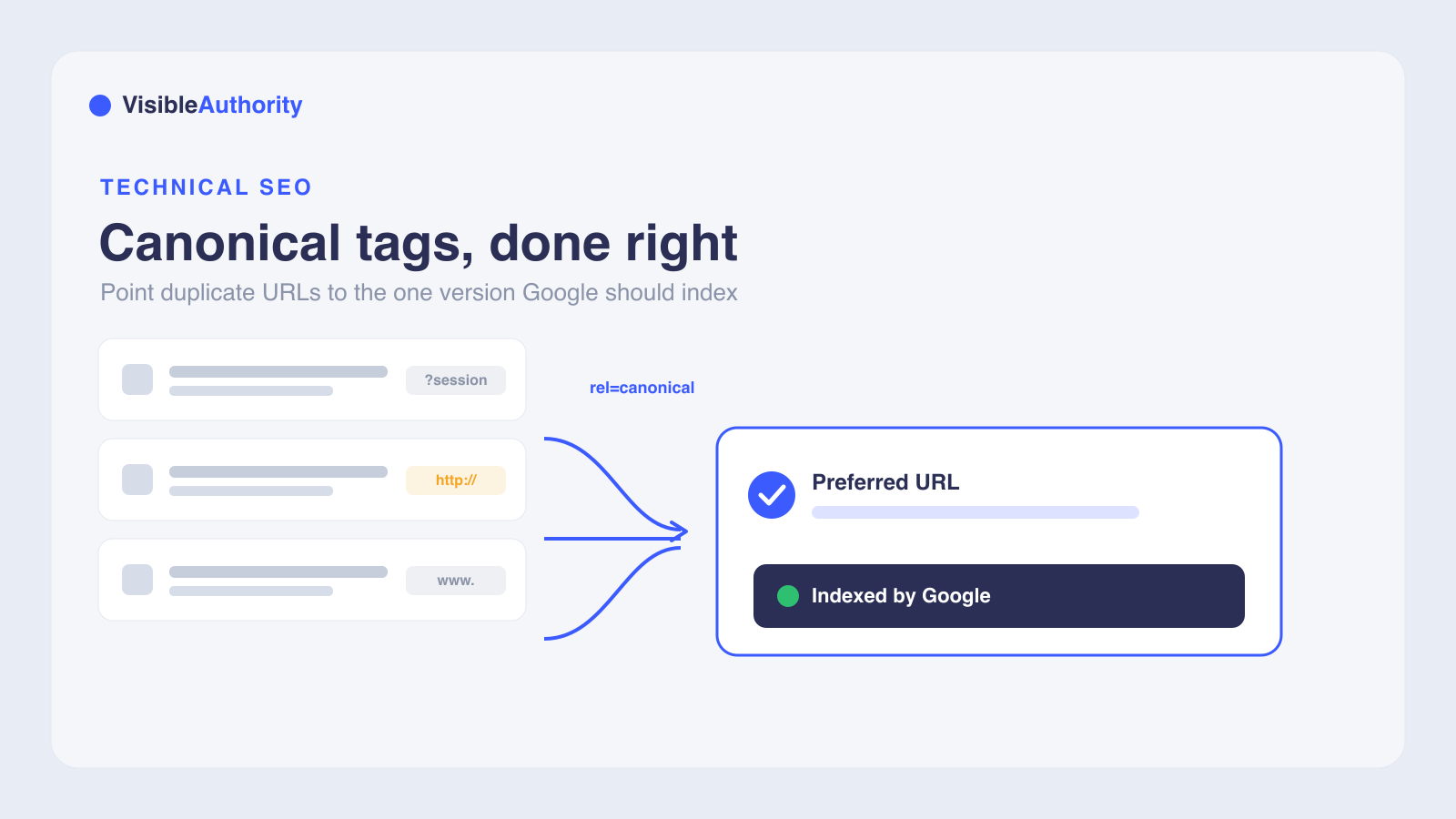
A canonical tag is a link element in the page head, using rel=canonical, that tells search engines which URL is the preferred version among duplicate or near-duplicate pages. Google treats it as a strong hint rather than a strict directive, so it can still pick a different URL when other signals conflict. Use canonical tags when both URLs must stay accessible but one is preferred, such as URL parameters, HTTP vs HTTPS, www vs non-www, syndicated content, and product variants. Use a 301 redirect instead when a page has permanently moved and the old URL should disappear. Always use absolute URLs, place the tag in the head, add a self-referencing canonical on every page, and keep all canonical signals consistent.
Duplicate content confuses search engines. When the same page lives at multiple URLs, Google picks one to index, and it might not pick the one you want. This guide answers a practical question: how do canonical tags work and when should I use them? The sections below cover the mechanics, the decision framework, and the implementation details that get it right.
What is a canonical tag and how it works
A canonical tag is an HTML link element placed in the <head> section of a page. It tells search engines which URL is the preferred version among duplicate or near-duplicate pages. The tag uses the rel="canonical" attribute, defined in RFC 6596, and points to the URL you want Google to index and display in search results.
Google treats rel="canonical" as a strong hint, not a directive. As Google's documentation states, "It's a hint that we honor strongly. We'll take your preference into account, in conjunction with other signals, when calculating the most relevant page to display in search results." This means Google can override your declared canonical if other signals conflict. Your user-declared canonical is what you specify in the HTML. Google's selected canonical is what Google actually indexes. Google's canonicalization guide lists methods in order of signal strength: redirects are the strongest signal, rel="canonical" link annotations are a strong signal, and sitemap inclusion is a weak signal. These methods can stack, becoming more effective when combined. When a canonical URL is established, "additional URL properties, like PageRank and related signals, are transferred as well."
- Preventing duplicate content issues across multiple URLs
- Consolidating ranking signals, including link equity from external sites pointing to duplicate URLs
- Improving crawl efficiency over time, so Google can prioritize the canonical version rather than repeatedly indexing duplicate copies
- Helping the correct page version appear in search results
When to use canonical tags
The decision framework starts with two questions. Do users need access to both URLs? If yes, lean toward canonicals over redirects. Is the content substantially different? Google has explicitly stated there is no fixed percentage threshold for duplicate content detection. John Mueller said in 2022, "There is no number (also how do you measure it anyway?)," and Google uses checksums and hashes rather than percentage-based text comparison. If pages carry genuinely different content, use separate pages, not canonicalization. A large portion of the duplicate page's content should be present on the canonical version for the tag to be respected.
- URL parameters: tracking IDs, session IDs, and sorting filters create multiple URLs for the same content (e.g., example.com/page?session=abc vs. example.com/page)
- HTTP vs. HTTPS: canonicalize the HTTP version to the HTTPS version when both are accessible
- WWW vs. non-WWW: canonicalize to the preferred format when both versions resolve
- Content syndication: the republishing site should canonicalize back to the original URL
- Print-friendly pages: when a print version duplicates the main page's content
- Product variations: e-commerce pages that differ only by color or size (e.g., example.com/shirt?color=blue and example.com/shirt?color=red, canonicalize to example.com/shirt)
- Pagination: consolidating a paginated series to a view-all page is debated. Google no longer recommends rel=next/rel=prev. A view-all canonical works when the full content loads on one URL (e.g., canonicalize example.com/blog?page=2 to example.com/blog)
| Scenario | Example | Canonical target |
|---|---|---|
| URL parameters | example.com/page?session=abc and example.com/page | example.com/page |
| HTTP vs. HTTPS | http://example.com and https://example.com | https://example.com |
| WWW vs. non-WWW | www.example.com and example.com | Preferred format |
| Content syndication | partner-site.com/article and example.com/article | example.com/article |
| Print-friendly | example.com/article?print=1 and example.com/article | example.com/article |
| Product variations | example.com/shirt?color=blue and example.com/shirt?color=red | example.com/shirt |
| Pagination | example.com/blog?page=2 and example.com/blog | example.com/blog (view-all) |
When not to use canonical tags
Canonical tags should not be used on pages with substantially different content. If two pages carry different content, search engines may ignore the canonical tag entirely because the pages are not actually duplicates. The canonical designation works best when the duplicate and canonical pages share nearly identical content.
Do not use canonical tags as a substitute for 301 redirects when content has permanently moved. Redirects fully transfer all signals and remove the old URL from search. Canonicals keep both pages accessible, which means the old URL still competes for indexing. Google also advises against using noindex for canonical selection because it completely blocks the page from search.
- Canonicalizing to irrelevant pages or pages with completely different content
- Using canonical tags to hide content or manipulate search results
- Canonicalizing to a 404 page or a redirected page, which breaks the canonical chain
- Using
noindexinstead ofrel="canonical"for duplicate content management
How to implement canonical tags
The most common implementation method is placing a <link rel="canonical"> element in the <head> section of your HTML. Google's example uses the format <link rel="canonical" href="https://example.com/dresses/green-dresses" />. Always use absolute URLs (full paths with https://) rather than relative URLs, which can cause problems if a staging or testing site gets crawled. The rel="canonical" link element is only accepted in the <head> section; tags in the <body> are disregarded.
- HTML
<link rel="canonical">in the<head>section: the most common method, using absolute URLs - HTTP header for non-HTML documents like PDFs: the only way to attach rel=canonical to non-HTML resources, since HTML link elements cannot be embedded in non-HTML files. The Link header syntax was originally defined by RFC 5988, obsoleted by RFC 8288; the canonical relation type is defined by RFC 6596. Example:
Link: <https://www.example.com/whitepaper.pdf>; rel="canonical" - XML sitemap inclusion: a weak but supporting signal that reinforces the preferred version
Choose one method and use it consistently. Mixing methods, such as specifying one URL in HTML rel="canonical" and a different one in the HTTP header, is error-prone. Google's documentation recommends including a self-referencing canonical tag on every page, even when no duplicates exist. A self-referencing canonical confirms the preferred URL and protects against unintended duplicate indexing from URL parameters or tracking strings. For JavaScript-heavy sites, specify the canonical URL in the HTML source code and ensure JavaScript does not change the canonical link element, as JS-rendered canonicals may not be properly read by crawlers.
| Method | Best for | Signal strength |
|---|---|---|
| HTML link rel=canonical | Standard HTML pages | Strong |
| HTTP header | Non-HTML documents (PDFs) | Strong |
| XML sitemap | Reinforcing canonical URLs | Weak |
Canonical tags vs. 301 redirects: which to choose
A 301 redirect means the page has permanently moved. Search engines and visitors are automatically taken to the new URL, and the old page no longer exists as an independent page. All ranking signals are fully transferred. A canonical tag indicates that multiple URLs contain the same or similar content, but both pages remain accessible. Search engines recognize the canonicalized URL as the preferred version, but visitors can still reach both pages. Use a 301 redirect when you want to completely remove the old URL and consolidate its value. Use a canonical tag when both pages must remain accessible but one is the preferred version. For permanent page retirements, URL consolidations, or site migrations, 301 redirects are the correct choice.
| Factor | 301 redirect | Canonical tag |
|---|---|---|
| User experience | User sees new page only | User can access both pages |
| Signal transfer | Full transfer to new URL | Consolidated to preferred URL |
| Use case | Permanent move | Duplicate content that must stay live |
| Crawl behavior | Old URL not crawled | Both may be crawled |
Best practices, common mistakes, and auditing
Best practices for canonical tags include using absolute URLs, placing the tag in the <head> section, and ensuring consistency across all canonicalization signals. Use self-referencing canonicals on all pages. The canonicalized page must be indexable, not a 404 or redirected page. Use HTTPS canonical URLs, and link to the canonical URL (not duplicate URLs) when linking within your site. Google's guide to common rel=canonical mistakes details how these errors cause search engines to ignore or misapply your canonical tags.
- Canonicalizing to the wrong page (www vs. non-www, http vs. https)
- Having multiple canonical tags on a single page; all are ignored
- Using relative URLs instead of absolute URLs
- Circular canonicalization (A points to B, B points back to A)
- Canonical chains (A to B to C)
- Specifying different URLs as canonical using different methods (sitemap vs. HTML tag)
To audit canonical tags, use Google Search Console's URL Inspection tool. It shows the user-declared canonical and the Google-selected canonical. Site audit tools like Ahrefs, Semrush, and Sitebulb can identify canonical issues at scale. Google, Bing, and Yahoo all support cross-domain canonical tags. For international sites using hreflang, Google prefers URLs in hreflang clusters for canonicalization, and the canonical page should be in the same language as the duplicate.
| Search Console status | Meaning | Action |
|---|---|---|
| Alternate page with proper canonical tag | Page correctly points to the canonical | None needed |
| Duplicate without user-selected canonical | No canonical declared; Google chose one | Declare a canonical if you disagree |
| Duplicate, Google chose different canonical than user | Signal conflict | Inspect both URLs |
Here are the most common questions about canonical tags, covering link equity, self-referencing canonicals, Google overrides, and cross-domain canonicalization.
Frequently asked questions about canonical tags
Do canonical tags pass link equity like 301 redirects?
Should I use a self-referencing canonical tag on every page?
Can Google ignore my canonical tag?
Should I use a canonical tag or a 301 redirect?
Can I point a canonical tag to a different domain?
Take the next step with your search visibility
Canonical tags are one piece of a broader search visibility strategy. Correct canonical signals help search engines identify the preferred URL, but Google may still override your declared canonical, so validate your setup in Search Console. When your pages are indexed on the correct URLs, AI models like ChatGPT, Perplexity, and Gemini are more likely to cite and recommend your content accurately. VisibleAuthority helps B2B SaaS companies with $10K to $200K MRR optimize for both traditional search and AI-generated answers.
- Run a canonical tag audit using Google Search Console's URL Inspection tool
- Add self-referencing canonicals with absolute URLs to every page
- Explore Answer Engine Optimization to see how clean canonical signals support AI search visibility
We'll run your category through the major models and map exactly where you appear, where competitors win, and what it takes to become the recommendation.