
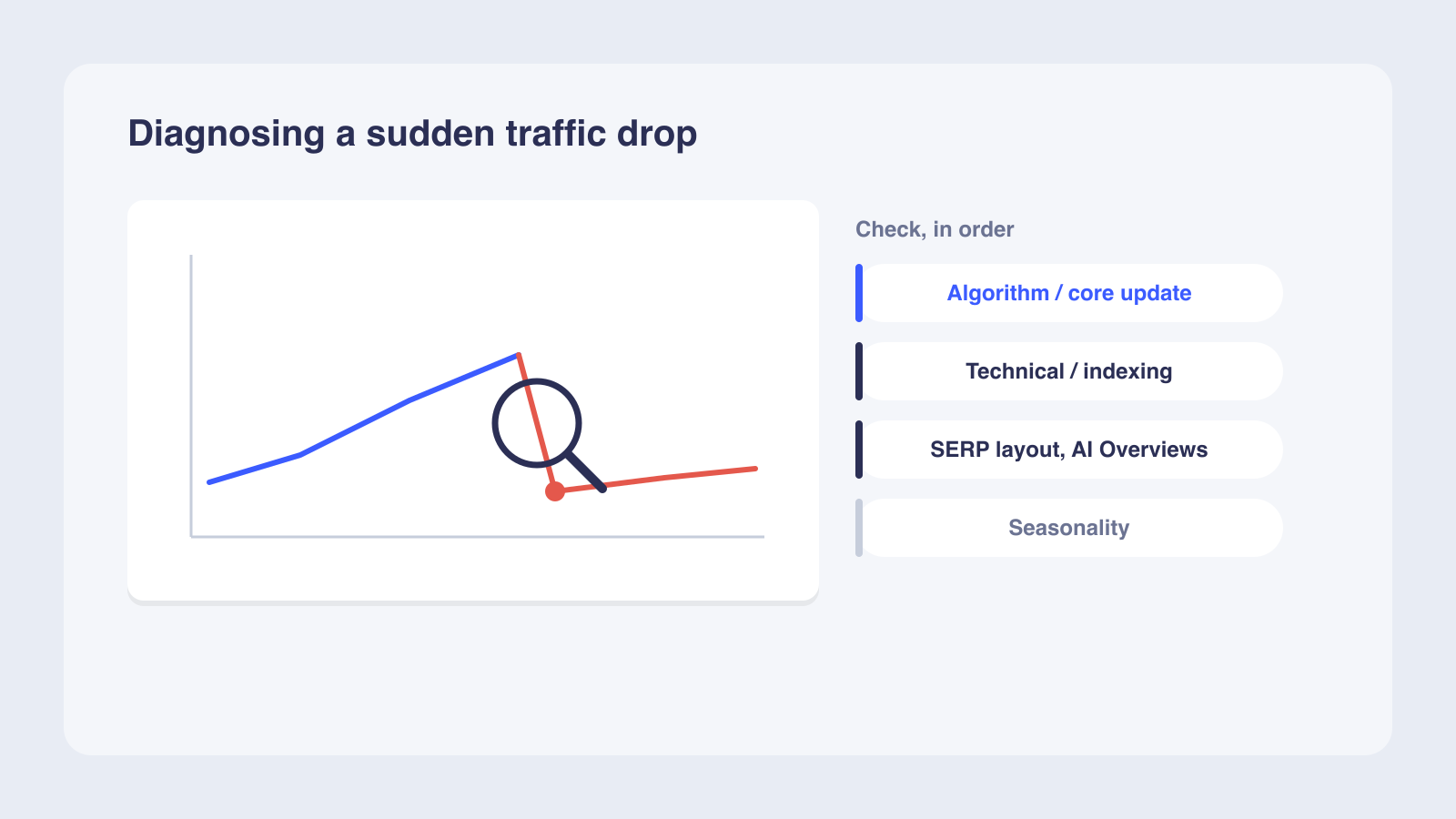
A sudden organic traffic drop usually comes down to one of six broad causes: an algorithmic update, a technical issue, a security issue, a spam issue, a site move or migration, or seasonality. Diagnose it in order: first confirm the drop is real by cross-checking Google Analytics 4 against Search Console, then use the Search Console Performance, Page Indexing, and Crawl Stats reports to see whether impressions, clicks, CTR, or indexing changed. Rankings steady but clicks down usually means AI Overviews or new SERP features; impressions down means a ranking or indexing problem; pages missing from the index means a technical block, manual action, or security issue. Match the drop date against confirmed Google updates, rule out manual actions, and only then act, waiting at least a week after a core update finishes before you analyze.
A sudden organic traffic drop usually traces to one of six broad cause categories, most of which Google documents in its guide to debugging search traffic drops: algorithmic updates, technical issues, security issues, spam issues, site moves and migrations, or seasonality. You can narrow the cause using Google Search Console and Google Analytics 4. You need admin access to both tools, a list of your top 20 organic pages, and the approximate date the drop began.
Is your traffic drop real or a reporting anomaly?
Before investing diagnostic time, confirm the drop is real. A tracking error wastes hours of investigation, so rule it out first.
Cross-check GA4 and Search Console
Compare organic traffic in Google Analytics 4 and Google Search Console for the same date range. If the decline appears in only one tool, you likely have a tracking issue. An http-to-https property mismatch is the most common cause.
Check for tracking changes
Look for recent changes to your Google Tag Manager container, modified or deleted GA4 data streams, and tracking code updates. A GTM misconfiguration can create false positives that look like real traffic drops. If the drop is consistent across all channels (email, paid, organic), the problem is almost certainly in your analytics setup.
Four-point verification checklist
- Does the drop appear in both GA4 and GSC?
- Are other channels equally affected?
- Has the tracking code or GTM container changed recently?
- Is the drop in brand or non-brand traffic?
A brand-only drop may signal a PR issue or SERP layout change, while a non-brand drop points to ranking or content problems. If any checklist item fails, fix the tracking issue first.
How to run a step-by-step traffic drop diagnosis in Search Console
Once you confirm the drop is real, Search Console gives you the data to isolate the cause. The Performance report, Page Indexing report, and Crawl Stats report each reveal different layers of the problem.
Set up and segment
- Open the Performance report and set the date range to compare the drop period against the previous period of equal length.
- Sort by clicks to find pages with the largest declines.
- Note whether impressions, CTR, or average position changed, since each metric points to a different cause category.
- Segment by page, query, device, and country to determine whether the drop is site-wide or isolated.
An impression drop suggests a ranking or indexing issue, while a CTR drop with stable impressions points to SERP layout changes. A drop concentrated in one country may indicate a localization issue, while a single-page drop suggests a content or technical problem on that URL. Each metric pattern leads to a different diagnostic branch.
Check indexing and crawl health
- Open the Page Indexing report to check whether pages have been deindexed; look for spikes in errors or excluded URLs.
- Check the Crawl Stats report for drops in crawl frequency, which can signal server issues or robots.txt blocks.
- Use the URL Inspection tool on affected pages to check canonical status and indexability.
- Follow a 7-step framework from Search Engine Land that covers changing search intent, UX issues, new SERP elements, algorithm updates, technical issues, content changes, and backlink decay.
A spike in 5xx server errors in the Crawl Stats report can explain a same-day traffic drop.
Triage and worked example
| Symptom | Likely cause | First action |
|---|---|---|
| Site-wide traffic drop overnight | Algorithm update, server outage, or robots.txt block | Check Google Search Status Dashboard and server logs |
| Single page or section drops | Noindex tag, canonical change, or content quality issue | Run URL Inspection tool on affected pages |
| Rankings stable but clicks fall | AI Overviews or new SERP features reducing CTR | Check SERPs for AI Overviews and featured snippets |
| Pages disappear from index | Manual action, security issue, or deindexation | Check Manual Actions and Security Issues reports |
| Gradual decline over weeks | Content decay, backlink loss, or competitor gains | Audit backlinks and compare competitor rankings |
Consider a B2B SaaS blog earning 280 monthly organic clicks as a hypothetical example.
The GSC Performance report shows impressions stable at their previous levels but CTR dropped from its historical average. A manual SERP check reveals AI Overviews now appear for the blog's top 10 queries, pushing the organic results below the fold on mobile. The root cause is AI Overviews reducing CTR without changing rankings.
Technical SEO issues that silently throttle organic traffic
Technical issues can block Google from crawling or indexing your pages, and they often appear after CMS updates, plugin changes, or site migrations.
Common technical culprits
- Robots.txt review: check for accidental disallow rules blocking important directories. A single rule can deindex an entire site section within days.
- Noindex tag scan: look for rogue noindex tags added by CMS updates, plugin changes, or staging configurations pushed to production.
- Redirect chain audit: 301 loops and 404s waste crawl budget and prevent link equity from passing to important pages.
- Canonical tag verification: confirm Google selected the correct canonical page using the URL Inspection tool. If Google picked a different canonical, your page will not appear in results.
- Server error log check: look for 5xx errors that prevent Googlebot from accessing pages. A spike in server errors often explains a same-day traffic drop.
Technical issues can be site-wide or page-level. A site-wide issue like a server outage causes an immediate drop. A page-level issue like a misplaced noindex tag causes a slower decline as Google recrawls affected pages. If the Page Indexing report shows errors, VisibleAuthority's guide to why pages are not indexed by Google walks through fixes for each error type.
Avoid premature fixes
A common mistake is making changes while an algorithm update is still rolling out. Google advises waiting until a core update has finished rolling out before you assess its impact; a common practitioner rule is to then give it about a week before drawing conclusions, since premature fixes can misdiagnose the problem.
Server errors (5xx) in the Crawl Stats report often explain same-day traffic drops, so cross-reference error spikes with the drop date before moving to algorithmic causes.
When Google algorithm updates and manual actions strike
If your drop coincides with a confirmed algorithm update, the diagnostic path differs from a technical issue.
Cross-reference with update timing
Google launched four confirmed algorithmic updates in 2025, including three core updates and one spam update, according to Search Engine Land. Confirmed update rollouts lasted between 14 and 27 days, with the March 2025 core update taking 14 days and the August 2025 spam update taking 27 days. Cross-reference the drop date with the Google Search Status Dashboard to see if a confirmed update was rolling out at the same time.
Check for manual actions
Open the Manual Actions report in Search Console for spam, unnatural links, or hacked-site penalties. These cause sudden, severe drops that require a reconsideration request. If the report shows no issues, your traffic drop is likely algorithmic.
Worked example
As another hypothetical example, a B2B SaaS company notices a 40% traffic drop starting June 30. The Google Search Status Dashboard shows the June 2025 core update began rolling out the same day (June 30, 2025) and took about 17 days to complete, finishing in mid-July. The Manual Actions report shows no issues.
After the update completes, the company waits one full week. It then compares the post-update week with the pre-update week. Pages with thin content saw the largest position drops. The root cause is an algorithmic quality assessment.
If the drop date falls outside any confirmed update window, check for unannounced updates, which Google confirms it releases regularly without public notification.
How AI Overviews and SERP changes reduce clicks without changing rankings
Several distinct SERP changes can produce this pattern, and each calls for a different diagnostic response.
The AI Overview CTR effect
The AI Overview CTR effect is easy to miss if you only track rankings. Your average position can hold steady while clicks fall, because an AI Overview answers the query at the top of the page and pushes your result further down.
Brands cited vs. not cited
Brands cited inside AI Overviews earn roughly 35% more organic clicks than those not cited, per Seer Interactive's analysis. For a deeper look at this trend, see VisibleAuthority's analysis of how Google AI Overviews change organic traffic.
Triage table
| Scenario | Do rankings change? | Expected traffic impact | First diagnostic action |
|---|---|---|---|
| AI Overview appears for your top query | No | CTR drops; clicks fall | Check the SERP for AI Overview presence |
| Featured snippet replaces your result | Yes | Position drops; clicks fall | Check if a competitor claimed the snippet |
| New SERP feature pushes results below the fold | No | Impressions stable; clicks fall | Compare CTR before and after the change |
| Competitor outranks you for a target query | Yes | Your position drops | Audit competitor content for quality signals |
| AI Overview cites your brand | No | CTR may increase | Track AI citation presence across queries |
External factors: seasonality, search demand, and lost backlinks
The diagnostic decision should rest on the evidence you have already gathered. If rankings and clicks fell together, compare year-over-year patterns and your backlink profile before choosing a recovery path. Seasonality, declining search demand, and lost backlinks can all reduce traffic without any problem on your site.
Check for seasonal patterns
Set the Search Console Performance report to a 16-month date range and use the Compare feature to check year-over-year patterns. Cross-reference with Google Trends for your top queries. If interest declines at the same time each year, the drop is seasonal and requires no site fix.
Audit backlinks and content decay
Audit your backlink profile for lost high-authority links. A single lost linking domain can tank a page's rankings. Also review older pages for content decay, as newer, more relevant content can outrank yours after quality-focused algorithm updates.
- Rankings fell for queries with stable Google Trends interest: audit backlinks and content decay.
- Rankings fell only for queries with declining Trends interest: search demand is shrinking, not your site.
When to call a professional
Most of this diagnosis can be completed with free tools in an afternoon. If the drop coincides with a site migration, a large-scale redesign, or a manual penalty, the fix may require specialized expertise. Site migrations can take weeks to stabilize as Google recrawls and reindexes URLs. Manual penalties require a reconsideration request that can take weeks for Google to process.
If Google Trends shows industry-wide decline for your top queries, the drop reflects shrinking search demand, not a site problem; shift content strategy toward growing query topics.
Confirming the root cause and building a recovery plan
After running through each diagnostic step, document your findings so the recovery plan targets the real problem.
Document the diagnosis
List the confirmed cause, affected pages, and evidence from each diagnostic step so the recovery plan targets the real problem. If the cause is algorithmic, focus on content quality improvements based on Google's self-assessment questions rather than quick technical fixes. If the cause is technical, prioritize fixes by the number of affected pages and the severity of the traffic loss.
Set up ongoing monitoring
- Weekly GSC Performance report checks for clicks and impressions
- Rank tracking for your top 20 queries to catch position changes early
- AI citation tracking to identify when your brand appears in or disappears from AI-generated answers
AI visibility as a recovery lever
If AI Overviews are reducing your CTR, test whether your brand appears in AI-generated answers for buyer queries.
For sites where AI Overview displacement is the confirmed cause, a structured 30-day sprint can deliver measurable before-and-after results in AI mention rates through mapping, content deployment, and optimization.
Recovery from algorithmic updates can take several months, while technical fixes may show results within days of recrawling.
Frequently asked questions
How long after a Google algorithm update should I wait to analyze traffic data?
Why did my traffic drop but my rankings stayed the same?
How do I check if my site has a manual action penalty?
Can a robots.txt change cause a sudden traffic drop?
How do I know if my traffic drop is seasonal?
What tools beyond Google Search Console help diagnose traffic drops?
Next steps
Once you have confirmed the root cause, the next step is execution. Technical fixes like robots.txt corrections and noindex removal can restore traffic within days of recrawling. Algorithmic recovery requires content quality work and patience, often waiting for the next core update.
If AI Overviews are eroding your CTR, check whether your brand appears in AI-generated answers when buyers ask about your category. Start with a free AI visibility audit from VisibleAuthority to see where your brand stands across ChatGPT, Perplexity, Gemini, and Claude.
We'll run your category through the major models and map exactly where you appear, where competitors win, and what it takes to become the recommendation.