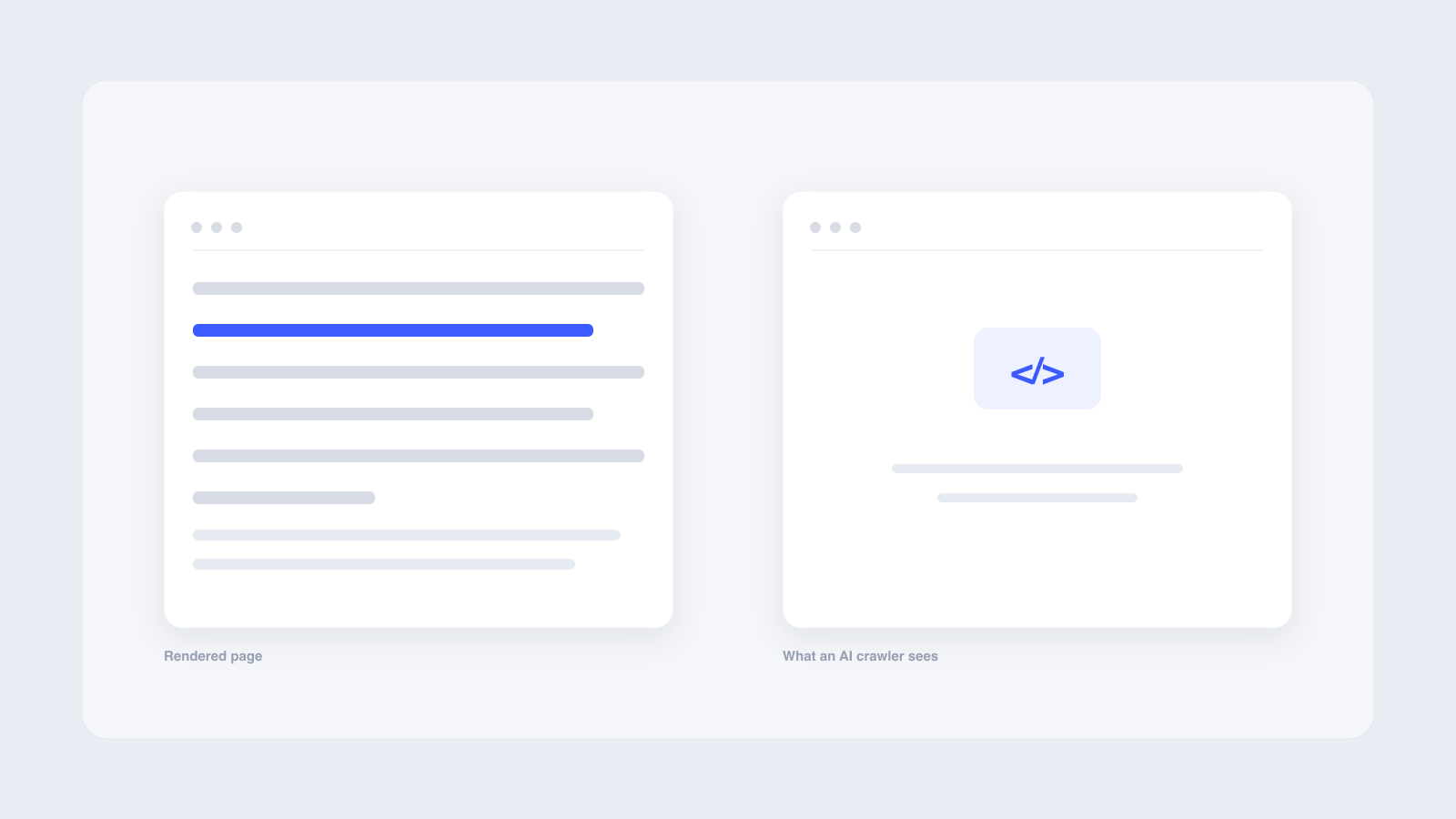
No. Major AI crawlers like GPTBot, PerplexityBot, and ClaudeBot fetch your initial HTML but do not execute JavaScript, so anything rendered client-side is invisible to them. A Vercel and MERJ study of over 500 million requests confirmed none of them render JavaScript, and Googlebot is the exception. If your site relies on client-side rendering, ChatGPT, Perplexity, and Claude see an empty shell. The fix is to put content in the initial HTML with server-side rendering or static generation so every crawler can read it.
Your SaaS company built a single-page application with React. Your product pages look polished in a browser. But when a buyer asks ChatGPT for tool recommendations, your brand never appears. The problem is in your rendering strategy.
Can AI crawlers like GPTBot and PerplexityBot read JavaScript-rendered websites? Server-log data from over 500 million crawler requests says no. That empty shell AI bots receive instead of your content is quietly costing you recommendations in the fastest-growing search channel.
Direct answer: no, AI crawlers do not execute JavaScript
AI crawlers like GPTBot and PerplexityBot fetch the initial HTML response from your server but do not execute JavaScript. Any content that loads dynamically through client-side rendering stays invisible. A Vercel and MERJ server-log study analyzing over 500 million crawler requests found that none of the major AI crawlers render JavaScript, including GPTBot, PerplexityBot, ClaudeBot, Meta-ExternalAgent, and Bytespider. Googlebot is the exception. Its Web Rendering Service uses a headless Chromium browser to fully render JavaScript, and Gemini grounding draws on the same Google Search index that Googlebot populates. Google's own documentation confirms that 'not all bots can run JavaScript' and recommends server-side rendering as a result.
| Crawler | Owner | Renders JavaScript? | Notes |
|---|---|---|---|
| GPTBot, ChatGPT-User, OAI-SearchBot | OpenAI | No | Fetches HTML only; 11.50% of requests retrieve JS files but none are executed |
| PerplexityBot | Perplexity | No | Parses initial HTML only |
| ClaudeBot | Anthropic | No | Fetches JS files (23.84% of requests) but does not execute them |
| Googlebot | Yes | Uses headless Chromium via Web Rendering Service | |
| AppleBot | Apple | Yes | Browser-based crawler that processes JavaScript and CSS |
| Meta-ExternalAgent | Meta | No | Fetches HTML only |
| Bytespider | ByteDance | No | Fetches HTML only |
Understanding AI crawler capabilities
Parsing HTML and executing JavaScript are different operations. When GPTBot requests a page, it reads whatever HTML your server returns. If your content lives in that HTML, the crawler sees it. If your JavaScript framework generates content after the page loads, the crawler receives an empty shell: a header, a footer, and blank tags where your text should be.
Vercel's data shows GPTBot made 569 million fetches, with 57.70% hitting HTML content. Claude made 370 million but spent 23.84% on JavaScript files it never executed. Both posted 404 rates above 34%, compared to Googlebot's 8.22%. AI crawlers impose tight timeouts of 1 to 5 seconds, so slow rendering causes crawlers to skip pages entirely.
What JavaScript-rendered means for crawlers
A JavaScript-rendered website relies on client-side rendering (CSR), where the browser runs JavaScript to build page content. Frameworks like React, Angular, and Vue commonly produce CSR sites. The initial HTML the server sends contains little or no content, just a skeleton that JavaScript fills in. Single-page applications are the most common example.
Server-side rendering (SSR) and static site generation (SSG) solve this problem. With SSR, the server runs JavaScript and sends fully formed HTML. With SSG, content is pre-rendered at build time. Both put your content in the initial HTML, where every crawler can read it. According to seoClarity's internal data, 50 to 80 percent of meaningful content on CSR single-page applications fails to appear to AI bots. That includes product listings, lazy-loaded reviews, interactive tabs, and anything injected after page load.
Proper technical SEO for AI search visibility starts with making sure your rendering strategy serves content to all bots, not just Googlebot.
Implications for generative engine optimization
When AI bots cannot read your content, they cannot cite it, recommend it, or mention your brand. This creates a split visibility problem: Google Search sees your full page because Googlebot renders JavaScript, but ChatGPT, Perplexity, and Claude see a blank version. A buyer asking ChatGPT for tool recommendations gets answers based on whatever static HTML your site serves, which may be nothing.
SEO consultant Glenn Gabe documented this in testing published on his blog. When he asked ChatGPT about a fully client-side rendered site, it 'explained multiple times that it could not read the content of the page because it relied on JavaScript-based rendering.' Perplexity gave the same response, sometimes reporting an 'Access Denied' error even though the site was not blocking any AI bot. Claude said it 'couldn't display any text from the page.'
For B2B SaaS companies in contested markets, this means ChatGPT recommends competitors simply because their content is readable. If AI models cannot see your comparison pages or pricing, you lose the recommendation.
Strategies to ensure AI crawler visibility for JavaScript sites
The fix is to put your content in the initial HTML response. Three rendering strategies do this:
- Server-side rendering (SSR): Your server executes JavaScript and sends complete HTML. Next.js supports SSR out of the box.
- Static site generation (SSG): Content is pre-rendered at build time and served as static HTML. Ideal for pages that change infrequently.
- Hybrid rendering: Use SSR for critical pages like product comparisons and CSR for interactive elements like live chat or view counters.
Vercel recommends server-side rendering for main content, meta information, and navigation. Your robots.txt file also matters: make sure it allows AI crawlers to access your HTML, CSS, and JavaScript files.
Our AI-Optimized Content System builds on these principles. We create comparison, recommendation, and answer-first content that AI models can read and cite, so your brand appears in synthesized answers. Getting your website cited by AI search engines requires content that is both readable and structured for AI extraction.
How to test your website's AI crawler visibility
You can check whether AI bots can read your content with three diagnostic steps:
- Disable JavaScript in Chrome DevTools: Open your site in Chrome, open DevTools, select 'Disable JavaScript' from the Command Menu, and reload. If your content disappears, AI crawlers cannot see it either.
- Check server logs for AI bot user agents: Search your logs for GPTBot, PerplexityBot, and ClaudeBot to see what pages they request and what HTTP status codes they receive.
- Test specific URLs in AI platforms: Paste your page URLs into ChatGPT, Perplexity, and Claude. Ask each to read the page and return specific content. If they cannot find it, JavaScript rendering is likely the cause.
Our AI Visibility Testing Loop automates this process. We run prompts across major AI models, track whether your brand appears, and refine content to improve mention rates over time.
Key data and evidence on AI crawler behavior
The evidence comes from three sources. The Vercel and MERJ study, published December 17, 2024, analyzed AI crawler traffic across Vercel's network and found that none of the major AI crawlers render JavaScript, with results consistent across Next.js and traditional applications. Glenn Gabe's independent testing, published August 11, 2025, confirmed this.
He tested multiple fully client-side rendered sites and got the same results. ChatGPT, Perplexity, and Claude each reported they could not read the content because it relied on JavaScript-based rendering. As a control, pages not relying on JavaScript were easily read by all three platforms.
Google Search Central's JavaScript SEO documentation rounds out the evidence. Google confirms it runs JavaScript with an evergreen Chromium but states that 'not all bots can run JavaScript' and recommends server-side or pre-rendering. This data is from late 2024 and early 2025, so verify current crawler behavior before making infrastructure decisions.
Frequently asked questions
Can ChatGPT read my website if it uses JavaScript?
What is the difference between GPTBot and ChatGPT-User?
Does Gemini render JavaScript differently from ChatGPT?
How much content do AI bots miss on JavaScript-heavy sites?
Will AI crawlers eventually support JavaScript rendering?
Stop letting AI bots see a blank page
If your site relies on client-side rendering, AI models build their recommendations without your content. Our 30-Day Visibility Sprint maps where your brand is missing in AI-generated answers, deploys content that AI models can read, and measures before-and-after mention rates within 30 days. Book a sprint to find out what AI bots see when they visit your site.
We'll run your category through the major models and map exactly where you appear, where competitors win, and what it takes to become the recommendation.