
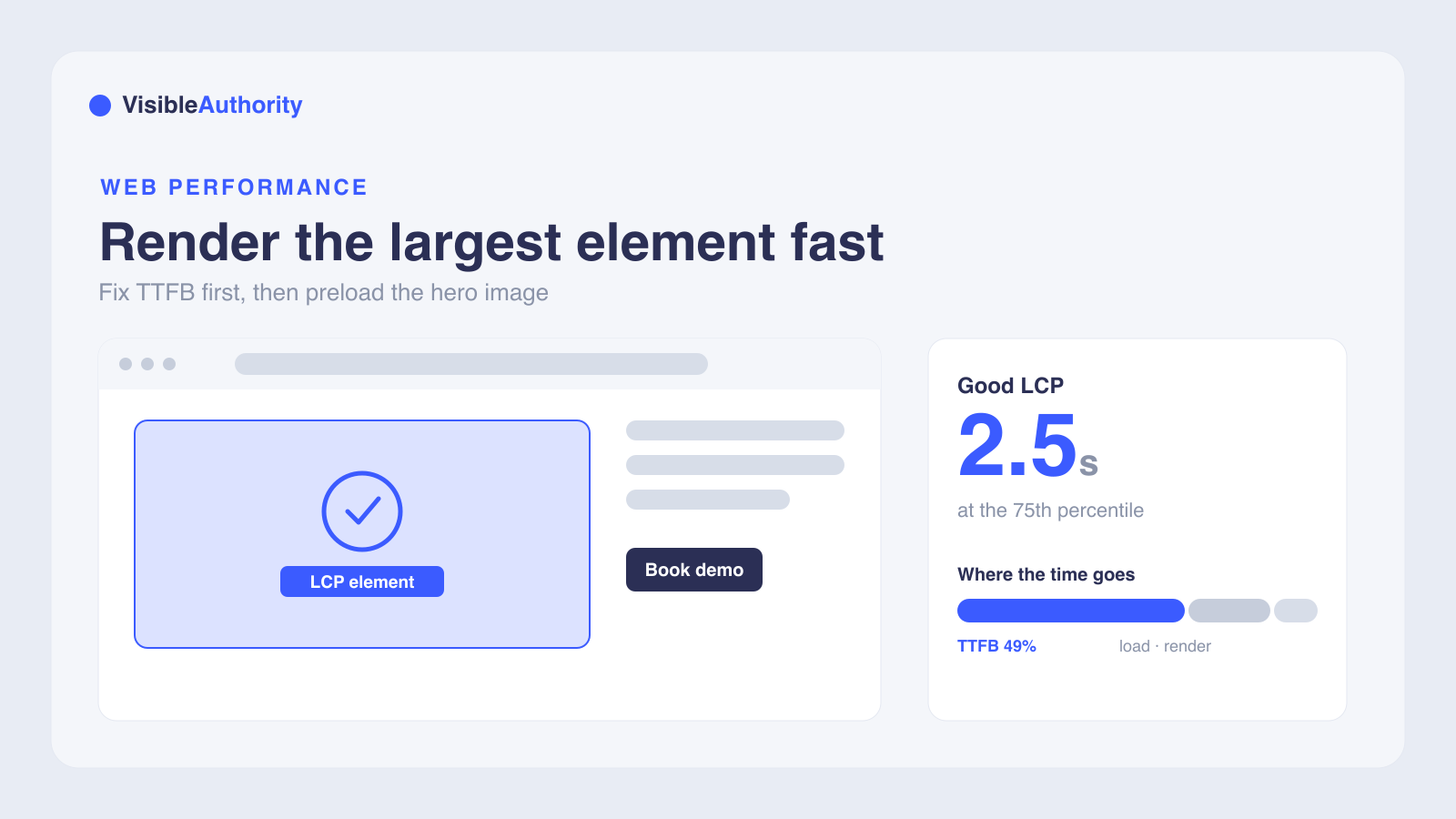
Largest Contentful Paint measures how fast your page renders its largest visible element, and a good score is 2.5 seconds or less at the 75th percentile. The highest-impact fix for most sites is server response time (TTFB), which accounts for about 49% of total LCP and correlates with it more strongly than any other factor. After that, stop lazy-loading your hero image, preload it with fetchpriority high, serve modern formats like AVIF or WebP, and remove render-blocking CSS and JavaScript. Fix TTFB first, because it sets the floor that every other optimization builds on.
If you are asking how to improve Largest Contentful Paint (LCP) on your website, you are looking at the right metric. LCP is the Core Web Vital that measures how fast your page renders its largest visible element.
This guide walks through the specific levers that move LCP, grounded in October 2026 CrUX field data from 190,153 sites. We cover where the time goes, which fixes have the highest impact, and how to diagnose your pages.
What LCP measures and why it matters for your site
Google defines LCP as the render time of the largest image, text block, or video visible in the viewport, relative to when the page first started loading. A good LCP is 2.5 seconds or less, measured at the 75th percentile of page loads across mobile and desktop. Scores between 2.5 and 4 seconds need improvement, and anything above 4 seconds is poor.
According to October 2026 CrUX data, 81.7% of sites pass LCP at or under 2.5 seconds. The typical site sits at 1.6 seconds, and 75% of sites stay under 2.2 seconds. Only 18.3% fail LCP, but those failures drag down overall Core Web Vitals pass rates since all three metrics must pass simultaneously.
Google uses Core Web Vitals as a ranking signal, though good scores alone do not guarantee top rankings. The business case is clearer. A Renault case study analyzed 10 million visits across 33 countries and found that a one-second LCP improvement led to a 14 percentage point drop in bounce rate and a 13% increase in conversions.
How to measure LCP and identify your largest contentful element
Lab data and field data serve different purposes. Lab data from Lighthouse, Chrome DevTools, and PageSpeed Insights is reproducible and good for debugging specific issues. Field data from the Chrome User Experience Report and Real User Monitoring reflects actual visitor experiences over a 28-day rolling window, and that is what Google uses for ranking.
Google Search Console's Core Web Vitals report groups URLs by status using that 28-day field data. One caveat: PageSpeed Insights strips URL parameters, which can cause discrepancies when you compare its results to Search Console group data.
To find your LCP element, use the Chrome DevTools Performance panel or PageSpeed Insights. In the 2026 CrUX data, images are the LCP element on 42.2% of sites, background images on 29.1%, text on 26.3%, and video on 2.4%. On 85.3% of desktop pages, the LCP element is an image, according to Web Almanac 2025 data.
Different visitors may see different LCP elements based on device size, cookie banners, and viewport. Always check both mobile and desktop. For a broader look at how technical performance intersects with search visibility, see our article on technical SEO for AI search visibility.
Reduce server response time (TTFB)
Time to First Byte (TTFB) is the biggest lever for most sites. In October 2026 CrUX data, TTFB accounts for 48.6% of total LCP time at a median of 647 milliseconds, and it correlates with LCP more strongly than any other subpart at +0.69. When TTFB stretches, pass rate falls: from the fastest to the slowest bucket, the LCP pass rate drops 72 points, down to 3%.
If your TTFB exceeds 800 milliseconds, reducing it should be your first priority before image optimization can produce meaningful gains. The server response sets a floor that every other LCP component builds on top of.
Only 44% of mobile origins achieved good TTFB in 2025, up just 2 percentage points from 2024. TTFB improvement requires infrastructure changes, not code changes, which is why progress is slow.
The data bears this out across platforms. Shopify achieves a median TTFB of 390 milliseconds and a 95% LCP pass rate. WordPress sits at 1.1 seconds TTFB with only a 70% pass rate. CDN adoption is uneven: Cloudflare serves 70% of the top 1,000 sites but only 35% of regular websites, a structural gap that directly explains why some sites start fast and others do not.
The fixes are infrastructure investments. Add a Content Delivery Network (CDN) to cache content closer to your visitors. Implement page caching so repeated requests do not recompute the same HTML. Switch to static site generation for pages that do not need dynamic rendering, or move to managed hosting.
Optimize images and media for faster LCP
About 16 to 17% of pages still lazy-load their LCP image, which delays the very element the metric measures. Stop doing this. Your hero image should load eagerly and appear in the initial server HTML response.
Only 16.3% of desktop pages use fetchpriority='high' on their LCP image, and about 2% use rel='preload' for their LCP resource. Adding rel='preload' for the LCP image can improve LCP by 200 to 500 milliseconds by telling the browser to start downloading it earlier in the page lifecycle.
Modern image formats make a measurable difference. AVIF achieves an 89% LCP pass rate versus 78% for PNG, an 11 percentage point gap. WebP is 25 to 34% smaller than JPEG at the same quality. Using the picture element for responsive images pushes the pass rate to 88% versus 81% for sites without responsive markup.
The discovery path matters as much as the file format. Images discovered via a link header pass LCP 96% of the time, while JavaScript-discovered images pass only 69%. That 26 percentage point gap is the largest separator of any signal studied. Background images and script-injected heroes are the common failure paths.
Eliminate render-blocking CSS and JavaScript
Render-blocking scripts and stylesheets delay text LCP because text can only appear after CSS loads and the browser completes rendering. Total Blocking Time is rising 58% year over year, a sign of growing JavaScript payload problems across the web.
Every 100KB of JavaScript costs 150 to 300 milliseconds of parse time on mobile devices. Use bundle size budgets or Lighthouse CI to catch JavaScript creep before it reaches production.
The techniques are straightforward. Inline critical CSS so the browser can render above-the-fold content without waiting for an external stylesheet. Defer non-essential JavaScript with the defer attribute. Minify and compress your code. Use code splitting to load only what the initial render needs.
Framework built-in optimizations help prevent common mistakes. Next.js Image and Nuxt Image handle responsive sizing, format negotiation, and lazy loading automatically. Avoid JavaScript-based lazy-loading libraries for hero images. Use native loading='lazy' for below-fold content only, so image loading does not depend on JavaScript first loading.
Prioritize critical resources with preloading, preconnect, and font optimization
Use <link rel='preload'> for the LCP image, critical fonts, and CSS to instruct the browser to fetch these resources earlier. Use <link rel='preconnect'> for third-party domains to establish connections before they are needed, reducing DNS lookup and TLS handshake time.
For fonts, use font-display: swap or font-display: optional to prevent fonts from blocking text rendering. Preload critical fonts and consider self-hosting to reduce external requests.
Preloading can increase render delay if the image finishes downloading before the page is ready to render. That reveals the next bottleneck to address. Broader practices help too: efficient caching reduces server load, a CDN delivers content from edge nodes, and auditing third-party scripts removes competing requests from your critical path.
Frequently asked questions about improving LCP
What is a good LCP score?
Should I lazy-load my hero image?
Why is my LCP slow even though my images are optimized?
What is the difference between lab data and field data for LCP?
How do I find which element is my LCP?
Start improving your LCP today
Work through the fixes in priority order. Fix TTFB first because it is the ceiling on everything else. Stop lazy-loading your LCP image. Preload it with fetchpriority='high'. Adopt AVIF or WebP. Reduce render-blocking CSS and JavaScript in the document head.
Fast-loading pages also help AI engines crawl and cite your content more effectively. Page performance is foundational to both traditional SEO and AI visibility. For tracking how your brand appears across AI platforms, see our AI search tracking tools buyer's guide.
Schedule a visibility consultation, and we will map how you appear across ChatGPT, Perplexity, Gemini, and Claude.
We'll run your category through the major models and map exactly where you appear, where competitors win, and what it takes to become the recommendation.